
TL;DR - I made a DJ mixing app. You can find the web version at fraktur.hya.io.
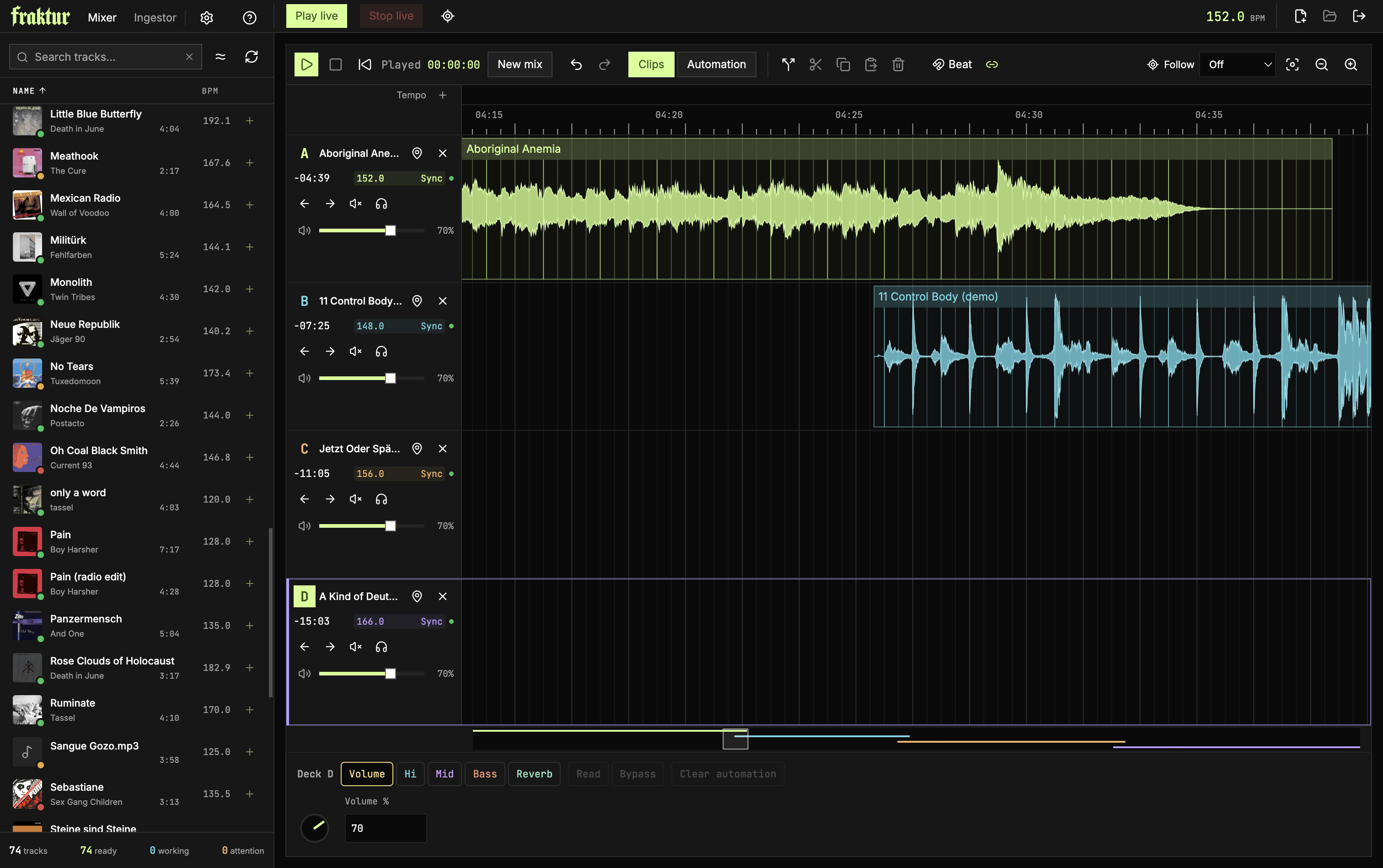
Some of you might know that I used to DJ at a lot of parties and festivals about 15-20 years ago. For some random reason, I found myself looking at the DJ software scene recently, and let me tell you, it feels different from 2008. Some apps I liked are discontinued; others still exist, but their parent company is at risk of going out of business. Most now require a monthly subscription fee and an internet connection, have a street/urban aesthetic aimed at younger audiences and try to sell you beat packs at every turn. I'm sure this is the only business model that makes sense in this recurring revenue economy, and I'm not really hating on them (except for the urban vibe and the beat packs, come on), but, to be honest, I can't be arsed.
(There's also an open-source app called Mixxx. It's not really for me, but if you want a free, battle-tested DJ app, consider it.)
So, this being the golden age of personal software, I decided to build my own DJ mixing app with the Web Audio API and Electron (plus a bit of Rust), a move I'm sure will be regarded as a bad idea and will make people very angry. In my defence, the Web Audio API with Audio Worklets is quite efficient these days (gone are the days of ScriptProcessorNode), and with a fixed number of decks you can bound memory consumption, allocate one track's audio buffer per deck and evict its buffer after it has played live (more on that later).
In further defence, this app is for personal use. I don't think I'll ever put myself through the pain of properly distributing and supporting it, so nobody will be able to install it and complain that it would have used less memory had I written it in C99.
But hey, since Electron is a web app and IndexedDB has good storage capabilities and we've been able to compile Rust to WASM for a while, it wasn't really hard to extract an entirely web-based app from the code. The web app is fully featured and can be found at fraktur.hya.io.
(btw: Fraktur is a pun on the first VST plugin I created as a young developer, which had a heavy blackletter logo, and also a pun on the music app scene of the late 2000s, when we would go clubbing in Berlin and every good-sounding plugin had a German name)
How a DJ mixing app works, simplified
Premise: here I'm specifically talking about club DJs, people who stand behind a console near the dance floor and play music for other people to dance or mosh to. The main task of a club DJ is to take two tracks with similar tempos and synchronize them by changing the playback speed of the incoming track and aligning the bass drums, a process called beatmatching. Once two tracks are beatmatched, they can play together for a long while and fade into each other nicely, the idea being to transition seamlessly between them so people can dance without interruption. There are many tricks you can do to make this process more elaborate, but that's pretty much the gist of it.
In my experience, there are two main types of DJ mixing software: one where you play track B over track A by pressing the "play" button at some point to start track B live, and a less common one where you anchor track B to track A in advance, like audio lanes in a DAW. I spent a long time inside DAWs in my youth, so I personally prefer the second type, and Fraktur is built around this premise.
Playheads
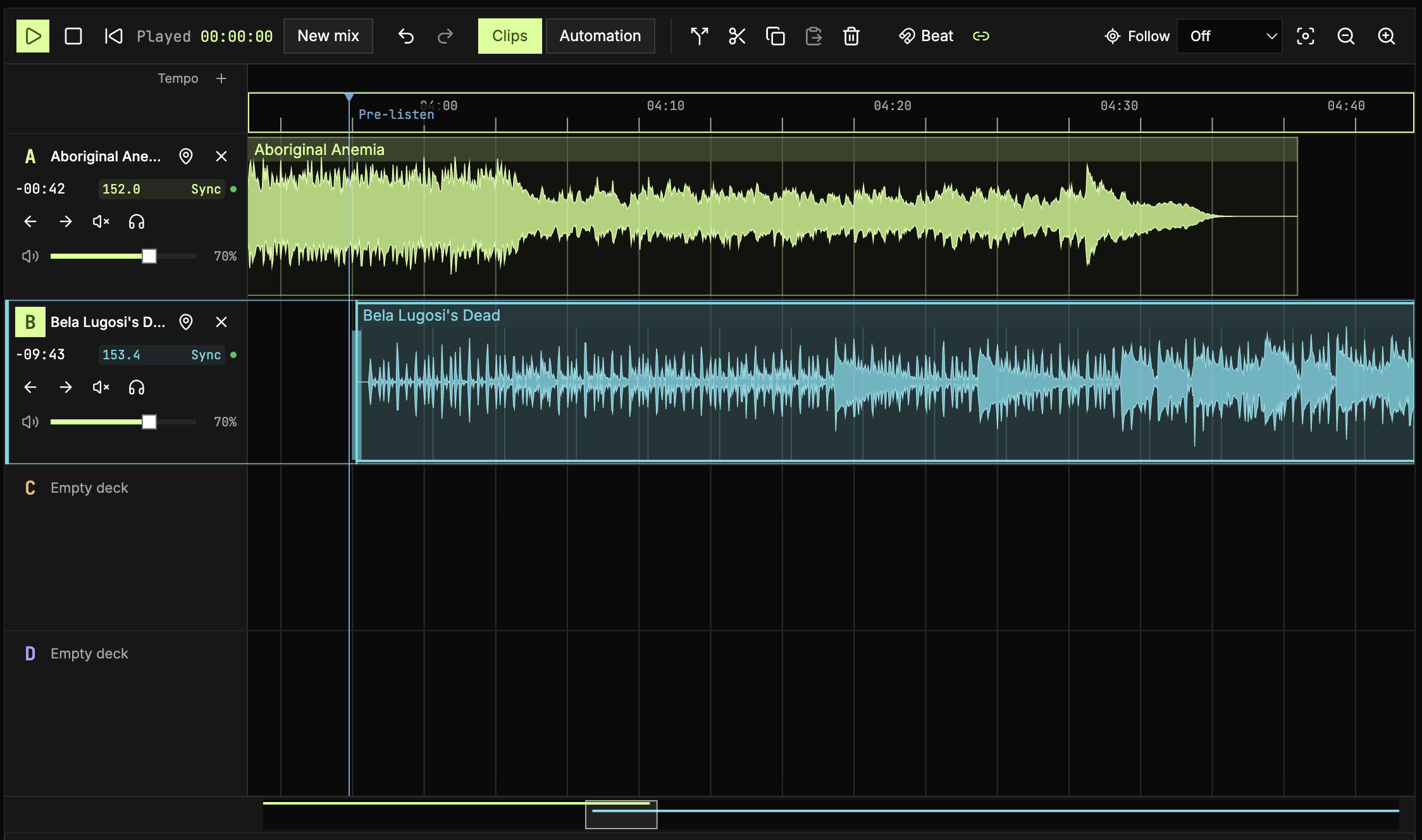
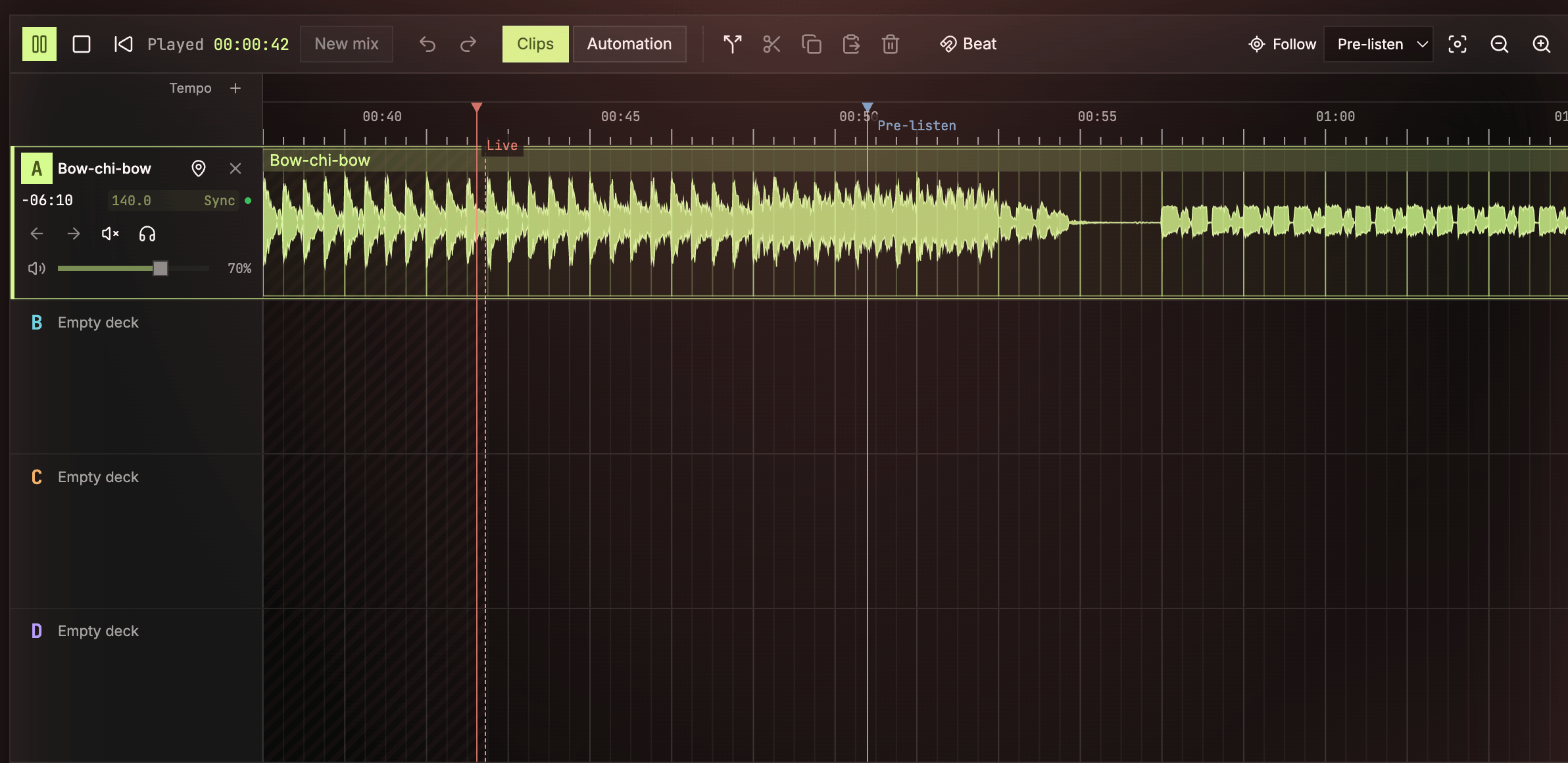
The main difference between a DAW and a DJ mixing app is that a DAW normally has a single playhead, while a DJ mixing app has two: one live and one for pre-listening. The live playhead only moves forward: it's the uninterrupted stream of music the dance floor hears. The pre-listen playhead corresponds to what the DJ hears in the headphones and can be moved around to monitor the mix in advance.
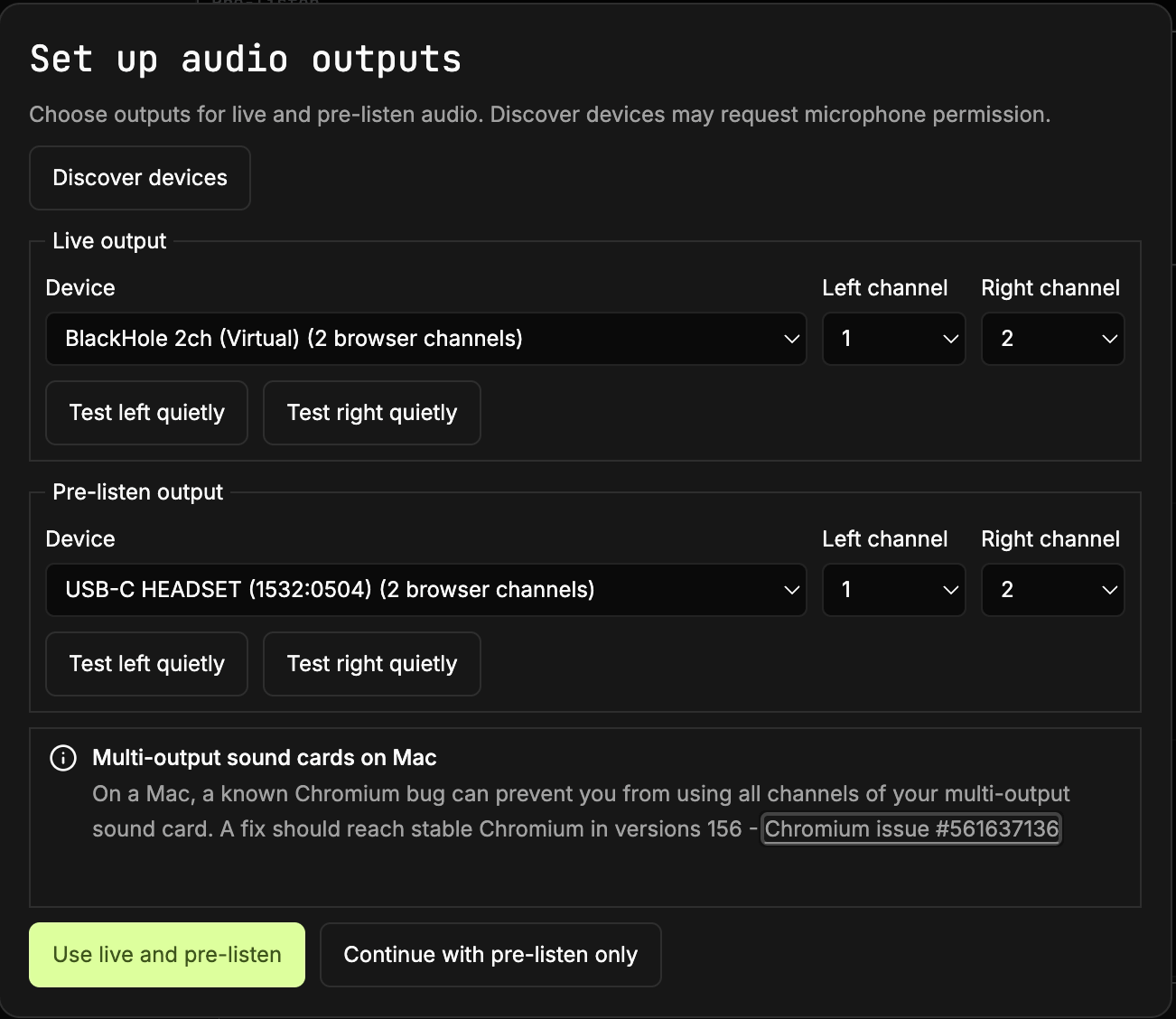
For this reason, a DJ using mixing software needs an audio interface with at least two stereo outputs or two audio interfaces with a stereo output each, one dedicated to the live playhead and one to the headphone pre-listen output (there used to be very lo-fi setups where you would route the live output to the right channel and the pre-listen output to the left channel at the expense of stereo sound, but technology has made them obsolete). Fraktur needs two outputs to work live, but the web app starts in pre-listen-only mode so you can learn the controls without configuring your outputs.
Please note there is a bug in Chromium on Mac that doesn't let you access channels > 2 via Web Audio, which should be fixed in version 156, so you might want to update your browser. Safari and Firefox don't seem to support explicit routing yet. You'll at least be able to use pre-listen mode in all these cases.
(By the way, if you don't have a fancy sound card and all you want is to record your mix, projects like Blackhole for Mac let you create a virtual sound card that you can use as your live output.)
Decks
Fraktur has 4 decks. One deck can hold one track. You can split tracks into pieces and copy-paste them around to repeat a section during a mix. That still counts as a track that lives in a deck. When the live playhead passes the last piece of a track, its deck clears automatically, ready for another one.
The decks are used in sequence. A session starts with the DJ loading a track into Deck A and starting live playback, then loading a different track into Deck B and preparing the mix using the pre-listen output. The DJ can then load an additional track and prepare the next mix in Deck C, and the one after that in Deck D. At some point during this process, the live playhead will reach the end of the track in Deck A and the deck will be cleared automatically, ready to be reused, and so on. This guarantees that a maximum of 4 tracks are loaded into the Mixer at any time, which leaves RAM consumption nicely bounded (decoded audio tracks are pretty huge when loaded as audio buffers). This also makes Fraktur a live-only instrument: your already-played tracks and all their automation automatically disappear as soon as they're not needed anymore. This is not a DAW where you lay out all your tracks one after the other and can always go back to the start. This is more like a set of turntables where you remove a record after you've played it to make space for the next. This suits my workflow and keeps me nicely focused on the live nature of the craft but gives me a 4-track planning horizon that I can still modify until the last second.
Automation and clips
Fraktur supports automation, pretty much like a DAW. You can automate volume, bass, mids, highs and reverb by drawing automation segments on the track waveform. Tempo can also be automated by right-clicking the time ruler and setting tempo events. Those controls roughly correspond to a DJ mixer with equalizer knobs and a send knob connected to a reverb effect. The next big thing on the roadmap, if I can get a MIDI controller with the right shape, is hooking the app up to the Web MIDI API and giving users the ability to bypass selected automations and mix by actually moving faders and knobs live.
Fraktur also supports splitting, copying, cutting and pasting pieces of a track and arranging them in any order within the original track's deck.
Beatmatching
Finally, how does Fraktur beatmatch two tracks that have different tempos? How does it even measure the tempo of a track whose bar lengths drift, like many non-electronic tracks with a human drummer who isn't playing to a click? The solution I chose is to automatically detect beats, use heuristics to extract the best "tempo" estimate and adjust the track to that tempo by warping the sections that diverge from the estimate while playing. Of course, this is not a perfect process, so I wrote another section of the software, the Ingestor, dedicated to analysing tracks, correcting the tempo estimate, moving detected beats around or even playing the track at its original tempo when it's impossible to do otherwise.
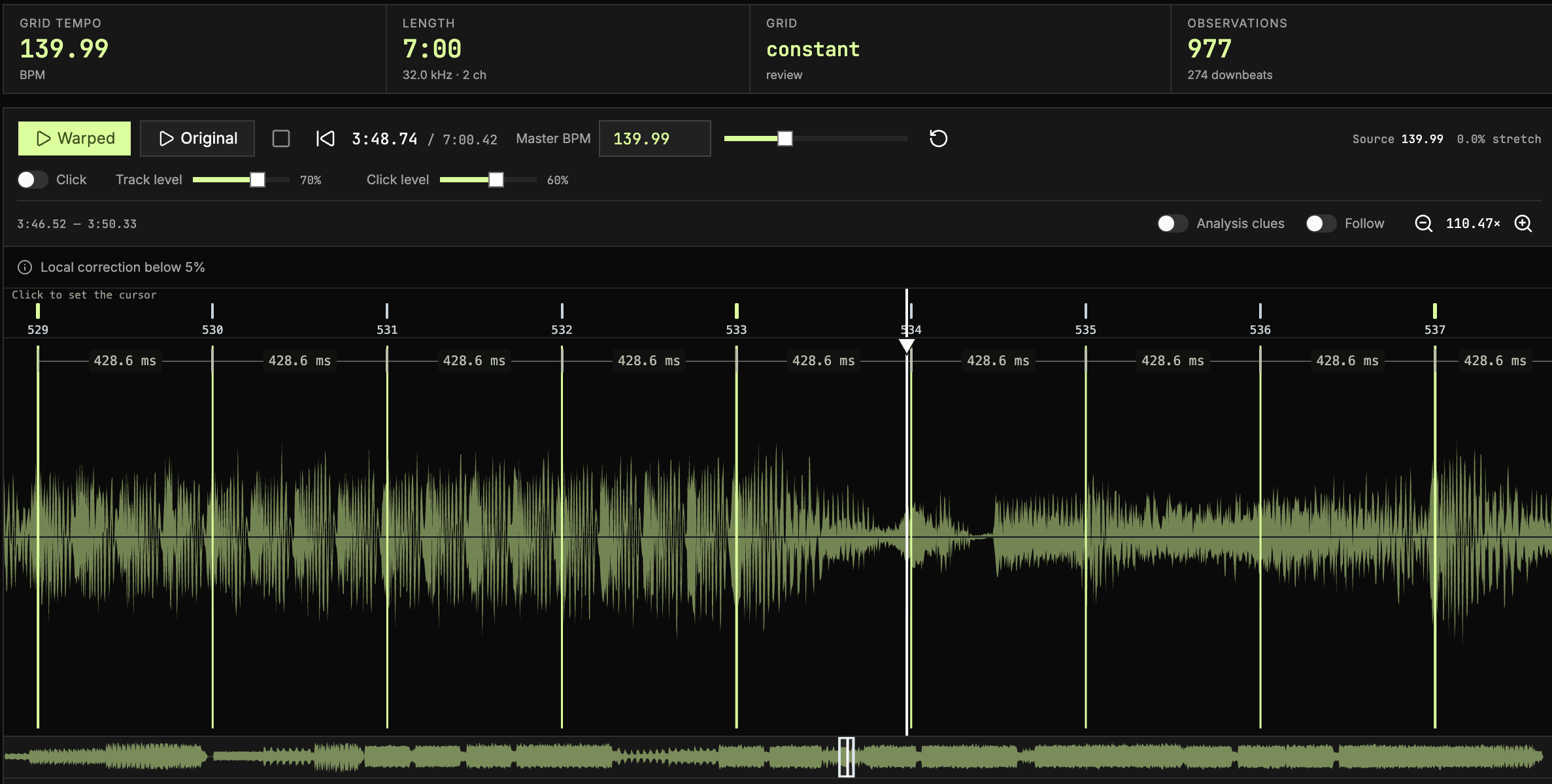
In more detail, Fraktur performs automatic analysis as soon as a directory or a single track is added to the app. It first decodes the track and runs Beat This's mel-spectrogram and beat-detection models in a Rust analyser, compiled to WASM for the browser version. That returns beat and downbeat positions, which Fraktur checks against the audio's sharp attacks. Then Ingestor fits those observations to an overall tempo, discards stray detections and builds either a uniform grid or a set of anchors in case the timing drifts. During synchronized playback, the grid maps each beat back to a position in the recording; Signalsmith Stretch speeds up or slows down the audio to follow the mix tempo without changing its pitch. In many cases (for example, with electronically generated tracks), the grid is perfectly uniform and needs no correction.
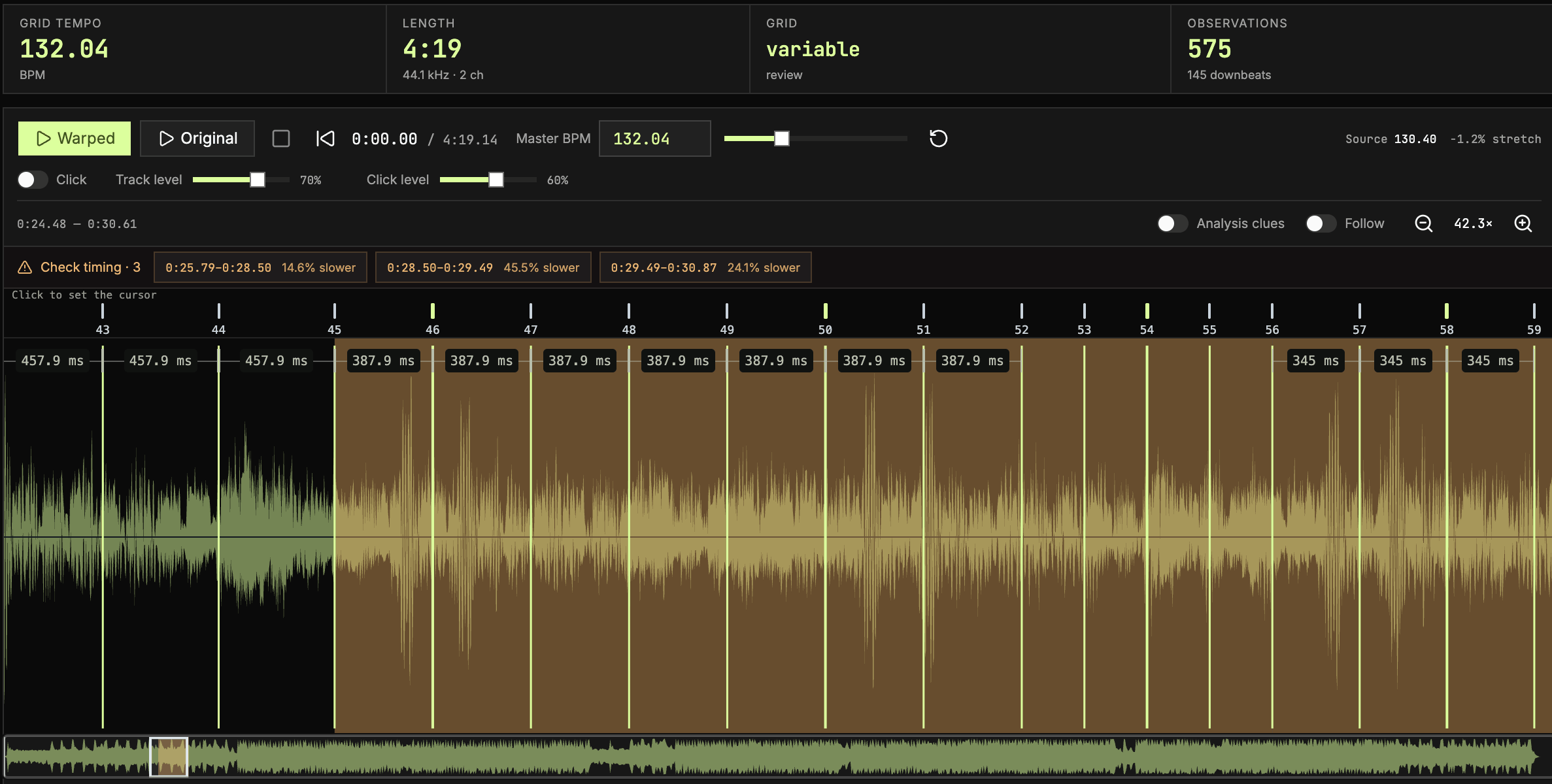
In other cases, some beats are shorter or longer than the overall tempo would suggest. This happens when a drummer momentarily drifts and plays a part faster or slower than the previous part, or when the model gets confused and detects a beat where there is none. In that case, the warp grid tries to correct those beats by playing them faster or slower than normal, which is imperceptible for minor deviations but produces noticeable, jarring distortion for more pronounced ones. In those cases, Ingestor lets you move, add or delete the detected beats by hand.
If all else fails and the track does not really have a coherent tempo, Fraktur has an "Original" mode, in which the track plays as-is without warp-grid tempo correction, and the user can choose to pin a beat in the track and manually stretch or shrink the whole track to change its overall length and align it with the track it's being mixed with, a process similar to what "analog" DJs do with variable-speed turntables and records.
The web app
You can find the web version of the app at fraktur.hya.io. Add a directory or drag and drop an audio track anywhere on the page, and Fraktur will start analysing the music automatically. When a track gets analysed, it will be available for mixing. Fraktur will remember tracks by hash, so it will index and analyse each of them only once.
Please note that while the desktop app stores tempo data in a hidden directory within the music library, the browser version stores it in IndexedDB, indexed by track hash. It's up to you to check the IndexedDB storage quota, which should be pretty generous anyway. Please also note that Fraktur doesn't store tracks directly in IndexedDB, so it will always ask for permission before accessing a new directory.